Haoma Connect
A discharge planner has minutes to choose between dozens of home health agencies, working from a federal data tool that was never designed to be read quickly. We rebuilt that flow as an integrated referral system.
The federal data exists. It's just unreadable in the time you have to use it.
When a patient is discharged from a hospital and needs ongoing care at home, a discharge planner has to find them a home health agency. That choice shapes everything that follows: recovery quality, readmission risk, total cost of care, and the patient's experience in their own home.
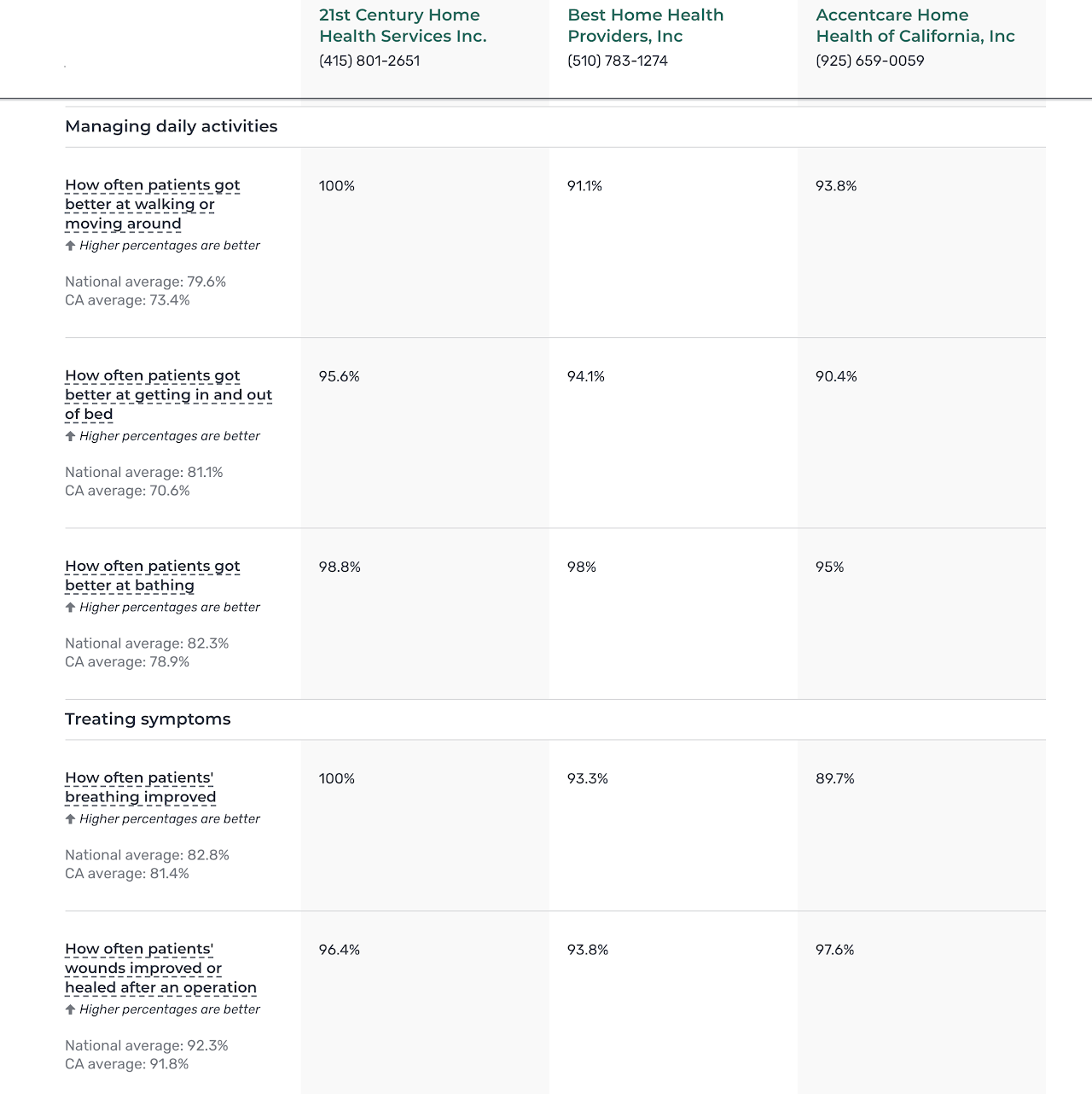
The data to inform that choice is already public. CMS publishes quality metrics for every Medicare-certified agency on Home Health Compare. But the interface buries the signal under bulk text, undifferentiated rows of percentages, and category labels that get lost as you scroll. Planners are timed. They cannot, in practice, parse 30+ metrics across multiple categories per agency, comparing several agencies at once, in the window they have to decide.
Our group of seven set out to build the layer that should have existed between this data and the people who actually have to act on it.
An integrated home health referral system.
Haoma Connect is a referral system layered on top of the CMS data. The core is a recommendation dashboard that gives discharge planners personalized home health agency suggestions for a particular patient, based on their diagnosis and care needs. An NLP model on the backend matches patient context to agency strengths and surfaces an overall score for each candidate agency.
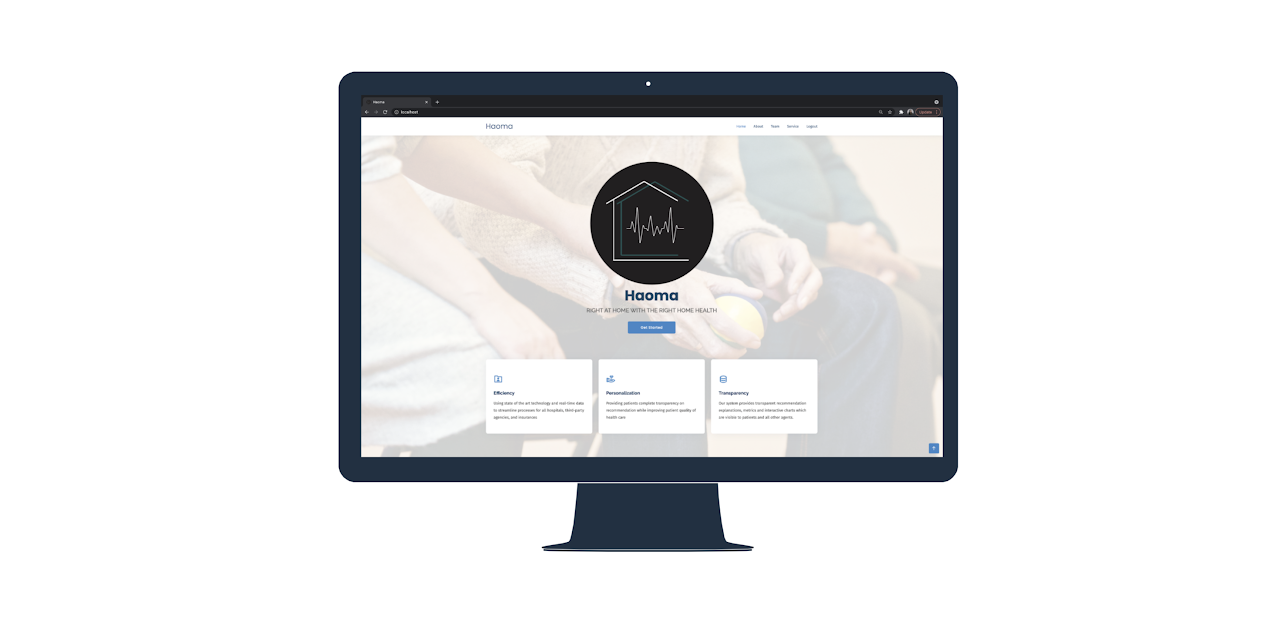
Beyond the recommendation engine, Haoma Connect functions as a shared platform across all parties involved in a discharge: hospital staff, patients, and home health agencies. Everyone works against the same database, eliminating the discrepancies that come from each side maintaining its own copy of the information. And because the system ingests real-time readmissions data, the recommendations improve as more patients move through the platform.

A page that asks the planner to do all the parsing themselves.
The CMS Home Health Compare page presents the same content for every agency: a long sequence of survey questions, each followed by a percentage. The categories of questions exist on the page, but they get lost in the bulk of the text. Percentages all look the same and read like a flat list.
In practice, a planner has to read each question, hold its percentage in mind, scan to the next, and mentally aggregate across categories. Doing this across several candidate agencies, under time pressure, while talking to a patient and their family, is not actually possible to do well.
Optimize for the speed and accuracy of a single decision.
I redesigned the page so the structure that was already in the data would actually show up in the interface. The decisions:
The score is tied directly to our NLP backend's match between the patient's diagnosis and care needs and the agency's strengths. It's the answer the planner is actually looking for, surfaced before everything that justifies it.
Categories with multiple sub-metrics collapse into a single bar chart, so a planner can see how an agency performs across a whole category at a glance instead of summing percentages in their head. Exact percentages are accessible on hover.
The remaining questions use donut charts, keeping the percentage visible (it still matters) but giving each one visual variety so a dozen of them don't blur into one another.
A planner can scan first by topic and then drill in, instead of reading the question text in order to find out what kind of metric it is.
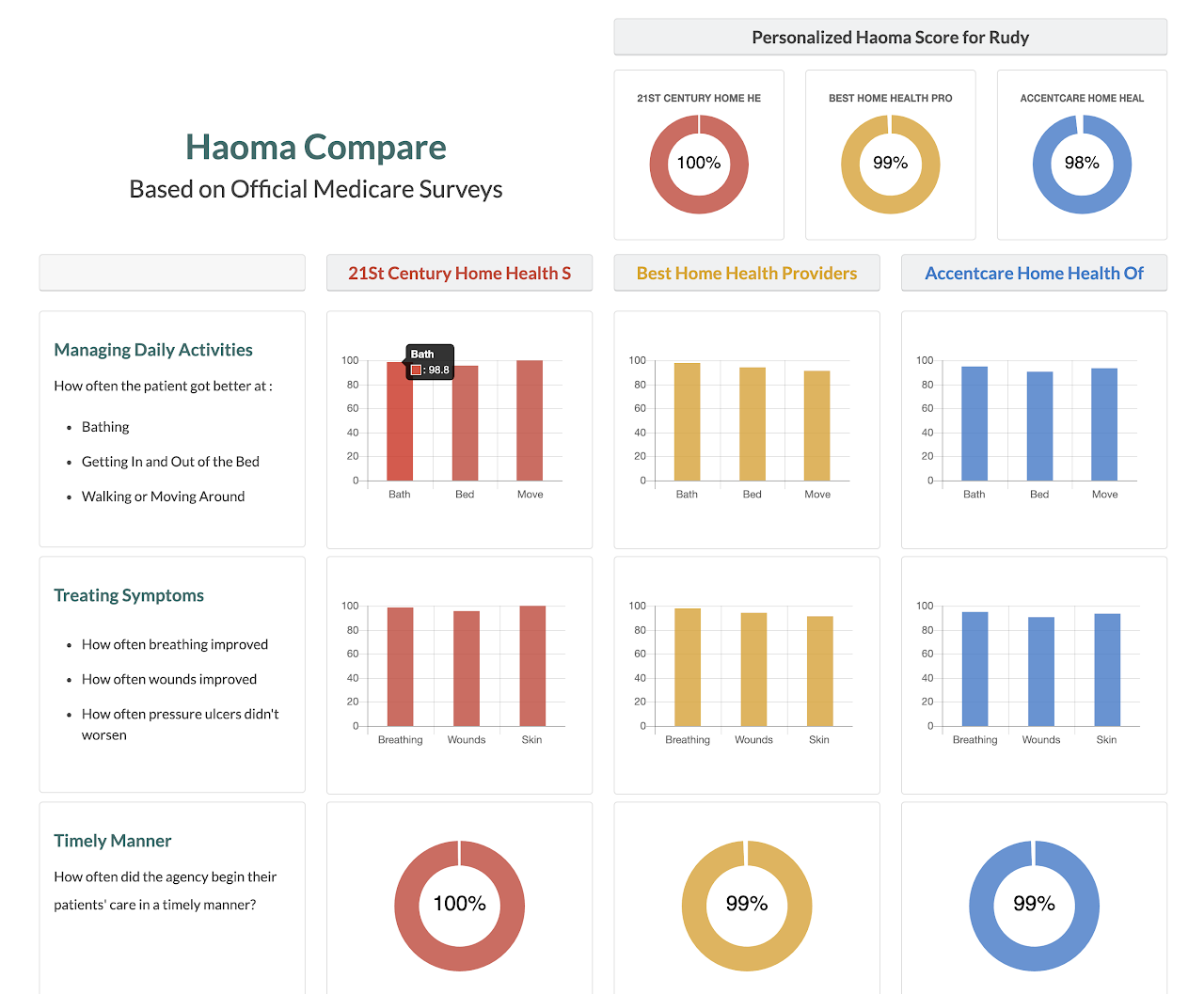
The tradeoff we accepted: bar charts hide exact percentages by default. You can hover for them, but at a glance you're reading shape, not numbers. That's the right tradeoff for the use case. We weren't optimizing for perfect granularity. We were optimizing for the speed and accuracy of a single decision, made under time pressure, by someone who needs to be confident in the answer.
Built in Chart.js.
This is, in retrospect, a pattern I have come back to repeatedly since: in clinical AI at Qventus, in the NLP work at Headspace on session notes and therapist link usage, and in the Responsible AI work that ties technical systems back to the people they serve. The most valuable thing is often not the new model. It's reading the data the system already has well enough that someone downstream can use it.